
Display-Sets

1 pcs. OLED Display New forE-Mu Pro CussionTo replace this display you need very good knowledge in soldering. The original display is soldered firmly to the board via a pin header. To disassemble the old display, this pin header must be cleaned very cleanly from the solder.An installation manual is enclosed with the display. Lifetime:The lifetime is specified by the manufacturer with 50,000 operating hours. After this specified drive time, the display still has 50% of its original luminosity.

1 pcs. OLED Display New forE-Mu Pro CussionTo replace this display you need very good knowledge in soldering. The original display is soldered firmly to the board via a pin header. To disassemble the old display, this pin header must be cleaned very cleanly from the solder.An installation manual is enclosed with the display. Lifetime:The lifetime is specified by the manufacturer with 50,000 operating hours. After this specified drive time, the display still has 50% of its original luminosity.

1 pcs. OLED Display New forE-Mu Pro CussionTo replace this display you need very good knowledge in soldering. The original display is soldered firmly to the board via a pin header. To disassemble the old display, this pin header must be cleaned very cleanly from the solder.An installation manual is enclosed with the display. Lifetime:The lifetime is specified by the manufacturer with 50,000 operating hours. After this specified drive time, the display still has 50% of its original luminosity.

1 pcs. OLED Display New forE-Mu Pro CussionTo replace this display you need very good knowledge in soldering. The original display is soldered firmly to the board via a pin header. To disassemble the old display, this pin header must be cleaned very cleanly from the solder.An installation manual is enclosed with the display. Lifetime:The lifetime is specified by the manufacturer with 50,000 operating hours. After this specified drive time, the display still has 50% of its original luminosity.

1 pcs. OLED Display New forE-Mu Pro CussionTo replace this display you need very good knowledge in soldering. The original display is soldered firmly to the board via a pin header. To disassemble the old display, this pin header must be cleaned very cleanly from the solder.An installation manual is enclosed with the display. Lifetime:The lifetime is specified by the manufacturer with 50,000 operating hours. After this specified drive time, the display still has 50% of its original luminosity.

1 pcs. Korg M1R OLED Display brandnew in yellow this is a plug in ready OLED Display replacement for Korg M1R Rack Synthsizer. You will only need a screwdriver for this replacement.We deliver this OLED Display ready wired.To install this OLED replacement display in the Korg M1R, first remove the housing cover of the synthesiser. The front panel is then removed. The display is now accessible and can be unscrewed. When mounting the new OLED display in the Korg M1, please use the spacer sleeves supplied.Not compatible with Korg M1 Keyboard version. This Display is a separate item.The color of the shown display, may differ from the original.Installation service for Korg M1R:We are able to do this replacement for you. Please ask.Lifetime:The lifetime is specified by the manufacturer with 50,000 operating hours. After this specified drive time, the display still has 50% of its original luminosity.
1 pcs. Korg M1 OLED Display brandnew in white this is a plug in ready OLED Display replacement for Korg M1 Keyboard Synthsizer. For this display replacement, we strongly recommend shortening the mounting bolts in the housing of the Korg M1. The OLED display itself is supplied pre-wired. No soldering is requiredNot compatible with Korg M1R Rack Synthesizer. This Display is a separate item.Mounting instructions for Korg M1 OLED:The mechanical assembly of this OLED display is somewhat more complex. The synthesiser is opened from the back and almost all components have to be removed to access the display, unfortunately the keyboard also has to be removed.The display assembly: The display in the Korg M1 is mounted on plastic bolts that are firmly connected to the display frame of the synthesiser, but these plastic bolts are much too high for the new OLED display at 10 mm. It is best to shorten these bolts to 5 mm so that the new OLED display comes very close to the windscreen. These plastic bolts can be easily sawn off with a small modelling handsaw. In our picture it is a saw from Tamiya.The big advantage is that a shim can be placed underneath as a height stop. This allows me to saw off the correct height very safely.Scope of delivery Korg M1 OLED Display:OLED display ready wiredInstallation instructionsmounting materialThe color of the shown display, may differ from the original.Installation service for Korg M1 Keyboard:We are able to do this replacement for you. Please ask.Lifetime:The lifetime is specified by the manufacturer with 50,000 operating hours. After this specified drive time, the display still has 50% of its original luminosity.

1 pcs. Roland JP8000 OLED Display brandnew in yellow this is a plug in ready OLED Display replacement for Roland JP8000 Synthsizer. For this display replacement, we strongly recommend shortening the mounting bolts in the housing of the Roland JP8000. The OLED display itself is supplied pre-wired. No soldering is required Mounting instructions for Roland JP8000 OLED:The mechanical assembly of this OLED display is somewhat more complex. The synthesiser is opened from the back and almost all components have to be removed to access the display, unfortunately the keyboard also has to be removed.The display assembly:We have developed a special cable adapter for the display in the Roland JP8000. This makes it possible to continue using the flat cable used in the original. The flat cable is simply plugged in.The display in the Roland JP8000 is mounted on plastic bolts that are firmly connected to the display frame of the synthesiser, but these plastic bolts are much too high for the new OLED display at 8 mm. It is best to shorten these bolts to 5 mm so that the new OLED display comes very close to the windscreen. These plastic bolts can be easily sawn off with a small modelling handsaw. In our picture it is a saw from Tamiya.The big advantage is that a shim can be placed underneath as a height stop. This allows me to saw off the correct height very safely.Scope of delivery Roland JP8000 OLED Display:OLED display ready wiredInstallation instructionsmounting materialThe color of the shown display, may differ from the original.Installation service for Roland JP8000:We are able to do this replacement for you. Please ask.Lifetime:The lifetime is specified by the manufacturer with 50,000 operating hours. After this specified drive time, the display still has 50% of its original luminosity.
1 pcs. white LCD Display with LED Backlight replacement including cable Kit forYamaha QY300We offer an absolutely equivalent display using modern LED technology for backlight.Color: Black Character / white BackgroundDelivery scope of LCD Display Replacmeent:Display ready wiredMounting partsInstruction for replacementBenefits for this Display with LED Backlight:much brighterhigh-frequency noise (beepingis eliminatedlifetime of LED Backlight is around 3 times higher than lifetime of EL-Foillower power consumtionNotes on installation the Display in Yamaha QY300:Inside Yamaha QY300 is very little space for the new display. A circuit board is mounted behind the display, it is called switch panel. On this switch panel a number of diodes are soldered which can collide with the new display. It is highly advisable to move these diodes to the back of the switch panel.This work is to be done only by technically, best electrotechnically savvy people.
1 pcs. Black LCD Display with LED Backlight replacement including cable Kit forYamaha QY300We offer an absolutely equivalent display using modern LED technology for backlight.Color: White Character / Black BackgroundDelivery scope of LCD Display Replacmeent:Display ready wiredMounting partsInstruction for replacementBenefits for this Display with LED Backlight:much brighterhigh-frequency noise (beepingis eliminatedlifetime of LED Backlight is around 3 times higher than lifetime of EL-Foillower power consumtionNotes on installation the Display in Yamaha QY300:Inside Yamaha QY300 is very little space for the new display. A circuit board is mounted behind the display, it is called switch panel. On this switch panel a number of diodes are soldered which can collide with the new display. It is highly advisable to move these diodes to the back of the switch panel.This work is to be done only by technically, best electrotechnically savvy people.

1 pcs. yellow LCD Display with LED Backlight replacement including cable Kit forYamaha VL1MWe offer an absolutely equivalent display using modern LED technology for backlight.Color: Black Character / Yellow BackgroundDelivery scope of LCD Display Set:Display ready wiredMounting partsInstruction for replacementBenefits for this Display with LED Backlight:much brighterhigh-frequency noise (beepingis eliminatedlifetime of LED Backlight is around 3 times higher than lifetime of EL-Foillower power consumtionNotes on installation for Display in Yamaha VL1m:No soldering is required. To replace the display in the Yamaha VL1m, the front panel must be largely dismantled. However, this is a relatively simple replacement. No soldering is required. The display is supplied pre-wired.This work is to be done only by technically, best electrotechnically savvy people.

1 pcs. blue LCD Display with LED Backlight replacement including cable Kit forYamaha VL1MWe offer an absolutely equivalent display using modern LED technology for backlight.Color: White Character / Blue BackgroundDelivery scope of LCD Display Set:Display ready wiredMounting partsInstruction for replacementBenefits for this Display with LED Backlight:much brighterhigh-frequency noise (beepingis eliminatedlifetime of LED Backlight is around 3 times higher than lifetime of EL-Foillower power consumtionNotes on installation for Display in Yamaha VL1m:No soldering is required. To replace the display in the Yamaha VL1m, the front panel must be largely dismantled. However, this is a relatively simple replacement. No soldering is required. The display is supplied pre-wired.This work is to be done only by technically, best electrotechnically savvy people.

1 pcs. LCD Display brandnew in blue forYamaha TX16Wthis is a plug in ready Display replacement for Yamaha TX16W. You will only need a screwdriver for this replacement.We deliver this LCD Display ready wired.The color of the shown display, may differ from the original.Installation service:Please ask.Lifetime:The lifetime is specified by the manufacturer with 50,000 operating hours.

1 pcs. LCD Display brandnew in yellow forYamaha TX16Wthis is a plug in ready Display replacement for Yamaha TX16W. You will only need a screwdriver for this replacement.We deliver this LCD Display ready wired.The color of the shown display, may differ from the original.Installation service:Please ask.Lifetime:The lifetime is specified by the manufacturer with 50,000 operating hours.

1 pcs. white LCD Display with LED Backlight replacement including cable Kit forKurzweil PC3K6Kurzweil PC3K7Kurzweil PC3K8We offer an absolutely equivalent display using modern LED technology for backlight.Color: Black Character / White BackgroundDelivery scope:Display ready wiredMounting partsInstruction for replacement Notes on installation The LCD Display in Kurzweil PC3XThe original Kurzweil display has different dimensions to today's commercially available displays. We have therefore developed an adapter board to adapt this. We supply the display pre-wired and pre-assembled.This work is to be done only by technically, best electrotechnically savvy people.The contrast of the display can be adjusted as usual using the control in the instrument.No soldering required.All you need is a screwdriver and a side cutter.

1 pcs. yellow LCD Display with LED Backlight replacement including cable Kit forKurzweil PC3K6Kurzweil PC3K7Kurzweil PC3K8We offer an absolutely equivalent display using modern LED technology for backlight.Color: Black Character / yellow BackgroundDelivery scope:Display ready wiredMounting partsInstruction for replacement Notes on installation The LCD Display in Kurzweil PC3XThe original Kurzweil display has different dimensions to today's commercially available displays. We have therefore developed an adapter board to adapt this. We supply the display pre-wired and pre-assembled.This work is to be done only by technically, best electrotechnically savvy people.The contrast of the display can be adjusted as usual using the control in the instrument.No soldering required.All you need is a screwdriver and a side cutter.
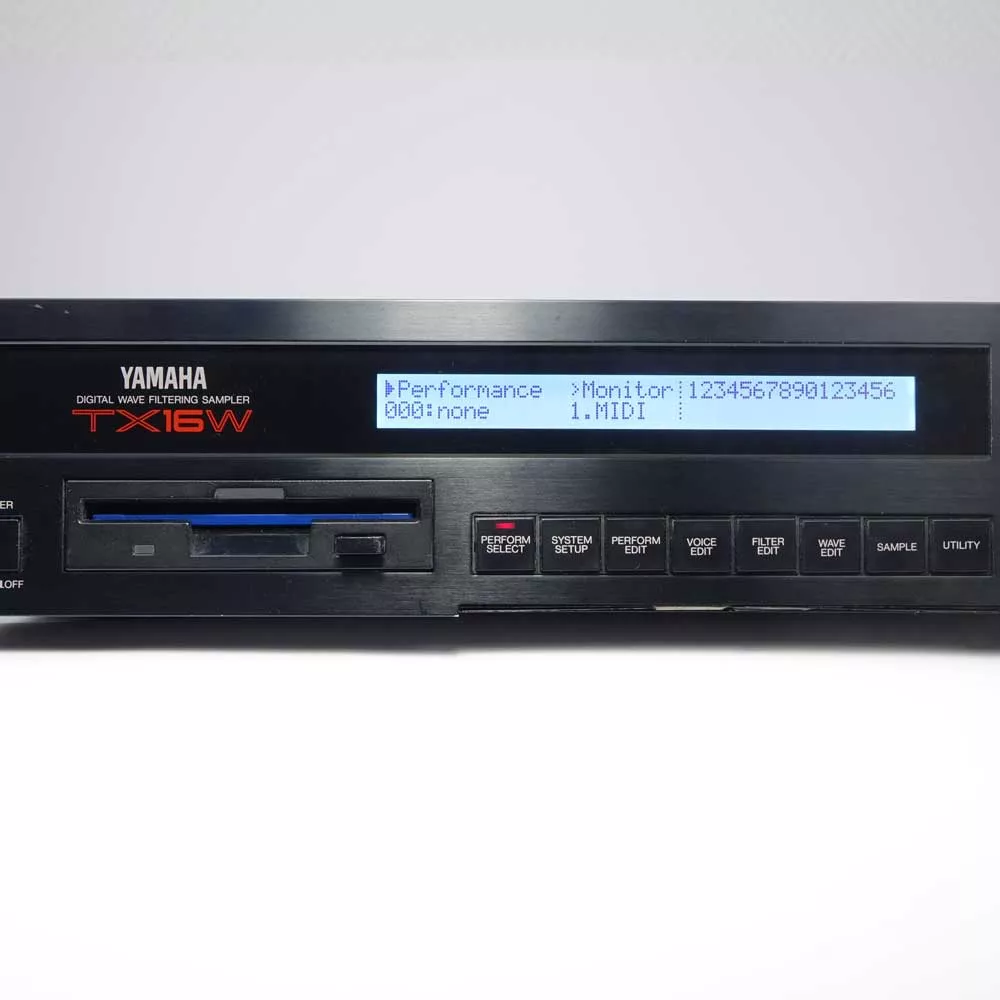
1 pcs. white LCD Display brandnew forYamaha TX16Wthis is a plug in ready Display replacement for Yamaha TX16W. You will only need a screwdriver for this replacement.We deliver this LCD Display ready wired.The color of the shown display, may differ from the original.Installation service:Please ask.Lifetime:The lifetime is specified by the manufacturer with 50,000 operating hours.
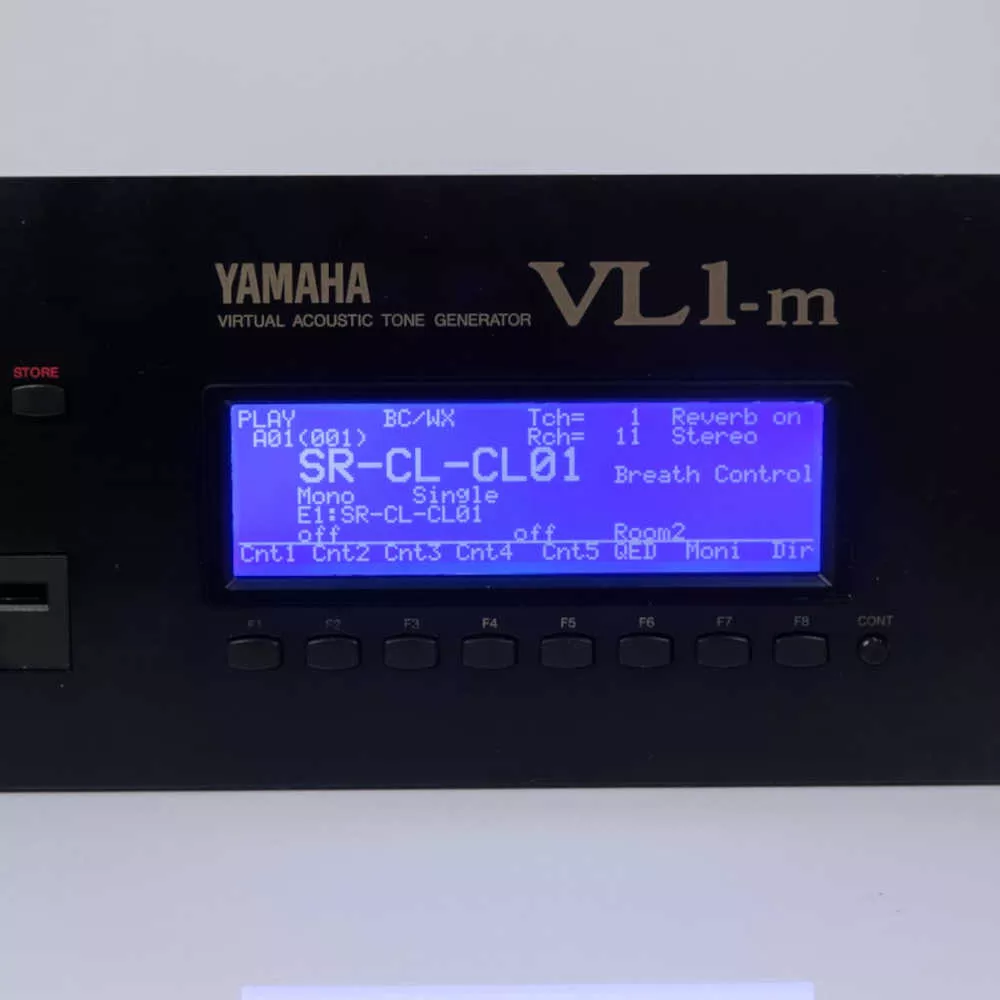
1 pcs. blue LCD Display with LED Backlight replacement including cable Kit forYamaha VL1 KeyboardWe offer an absolutely equivalent display using modern LED technology for backlight.Color: White Character / Blue BackgroundDelivery scope of LCD Display Set:Display ready wiredMounting partsInstruction for replacementBenefits for this Display with LED Backlight:much brighterhigh-frequency noise (beepingis eliminatedlifetime of LED Backlight is around 3 times higher than lifetime of EL-Foillower power consumtionNotes on installation for Display in Yamaha VL1m:No soldering is required. To replace the display in the Yamaha VL1m, the front panel must be largely dismantled. However, this is a relatively simple replacement. No soldering is required. The display is supplied pre-wired.This work is to be done only by technically, best electrotechnically savvy people.

1 pcs.AKAI MPC 5000 LCD Display with LED Backlight replacement black We offer an absolutely equivalent display using modern LED technology for backlight.Color: White Character / Black BackgroundDelivery scope:Display ready wiredMounting partsInstruction for replacement Notes on installation The LCD Display in AKAI MPC 5000To mount the LCD display in the AKAI MPC-5000, the frame on the display itself must be unscrewed. In addition, the base plate of the sampler must be unscrewed. These two steps are sufficient to replace the display.This work is to be done only by technically, best electrotechnically savvy people.Contrast setting:The contrast of the display is set as usual using the control on the front of the instrument.Brightness setting:We have made it possible to set the brightness of the backlight with our new display. However, this is set internally in the instrument and is not directly accessible.No soldering required.All you need is a screwdriver and a side cutter.
1 pcs. Yamaha DX7 II OLED Display NEW greenReady-to-plug prepared OLED display for replacement in Yamaha DX7 II. The new OLED display is supplied by us with a new cable ready to plug in. Everything is screwed. No soldering required.Note on OLED technology:OLED - organic light-emitting diode. The advantage of OLED technology is that each pixel is illuminated. This makes the OLED display easy to read from all sides, even from extreme viewing angles. Furthermore, it is also very easy to read in sunlight.Mechanical hints for the replacement of the OLED display in the Yamaha DX7II:Please consider in this case that the mechanical effort to get to the display in the instrument is quite high. Among other things, the keyboard and the mainboard must be disassembled. Everything is screwed. No soldering necessary.The display has a cover made of Plexiglass which is glued on the display and has to be transferred to the new display. We have had good experience with the following method: Insert fishing line or sturdy sewing yarn between the display and the cover and use a sawing motion to separate the adhesive.Lifetime of OLED Display:The lifetime is specified by the manufacturer with 50,000 operating hours. After this specified drive time, the display still has 50% of its original luminosity.

1 pcs. Black LCD Display with LED Backlight replacementYamaha Motif 6Yamaha Motif 7Yamaha Motif 8We offer an absolutely equivalent display using modern LED technology for backlight.Plug and Play. No soldering is required.Color: White Character / blue BackgroundDelivery scope of LCD Display for Motif:Display ready wiredInstruction for replacement Advantages of this special LCD display compared to the original display from Yamaha:The original Yamaha display consists of two individual components. Once the LCD display and a separate component, the backlight. The backlight is no longer available from Yamaha as a spare part. In the LCD display we offer here, the backlight is integrated. Originally two components become one component.We now have many years of experience with this type of LCD display. These displays are durable and robust. Notes on installation the Display in Yamaha Motif 6,7 or 8 :To replace the display, the Yamaha Motif is opened from the back. So the rear body of the case has to be removed. Afterwards the Powersupply, the DM board and a sheet metal frame must be unscrewed. Everything is scraped and only a Phillips screwdriver, preferably PH2 is needed. Now the old display can be removed. Before installing the new display, three plastic lugs must be removed in the display frame. These can be broken off with pliers, or cut off with a knife. Please do not forget to clean the washer in the housing.No soldering required.All you need is a screwdriver, flat nose pliers and side cutters.

1 pcs. black LCD Display with LED Backlight replacement including cable Kit forKurzweil PC3A6Kurzweil PC3A7Kurzweil PC3A8We offer an absolutely equivalent display using modern LED technology for backlight.Note on the PC3X series from Kurzweil:The replacement display offered here is the appropriate replacement for Kurzweil displays that already use LED backlighting. This can be identified by a short 2-pin connector to the right of the display. Color: White Character / Black BackgroundDelivery scope:Display ready wiredMounting partsInstruction for replacement Notes on installation The LCD Display in Kurzweil PC3XThe original Kurzweil display has different dimensions to today's commercially available displays. We have therefore developed an adapter board to adapt this. We supply the display pre-wired and pre-assembled.This work is to be done only by technically, best electrotechnically savvy people.The contrast and brightness of the display can be adjusted as usual using the controls in the instrument.No soldering required.All you need is a screwdriver and a side cutter.
1 pcs. blue LCD Display with LED Backlight replacementYamaha RS7000We offer an absolutely equivalent display using modern LED technology for backlight.Plug and Play. No soldering is required.Color: White Character / Blue BackgroundDelivery scope of LCD Display for RS7000 :Display ready wiredInstruction for replacement Advantages of this special LCD display compared to the original display from Yamaha:The original Yamaha display consists of two individual components. Once the LCD display and a separate component, the backlight. The backlight is no longer available from Yamaha as a spare part. In the LCD display we offer here, the backlight is integrated. Originally two components become one component.We now have many years of experience with this type of LCD display. These displays are durable and robust. Notes on installation the Display in Yamaha RS7000 :To replace the display, the Yamaha RS7000 is opened from the back. So the rear half of the case has to be removed. Afterwards the floppy drive, the DM board and a sheet metal frame must be unscrewed. Everything is scraped and only a Phillips screwdriver, preferably PH2 is needed. Now the old display can be removed. Before installing the new display, three plastic lugs must be removed in the display frame. These can be broken off with pliers, or cut off with a knife. Please do not forget to clean the washer in the housing.No soldering required.All you need is a screwdriver, flat nose pliers and side cutters.

1 pcs. white LCD Display with LED Backlight replacement including cable Kit forKurzweil PC3A6Kurzweil PC3A7Kurzweil PC3A8We offer an absolutely equivalent display using modern LED technology for backlight.Note on the PC3X series from Kurzweil:The replacement display offered here is the appropriate replacement for Kurzweil displays that already use LED backlighting. This can be identified by a short 2-pin connector to the right of the display. Color: Black Character / White BackgroundDelivery scope:Display ready wiredMounting partsInstruction for replacement Notes on installation The LCD Display in Kurzweil PC3XThe original Kurzweil display has different dimensions to today's commercially available displays. We have therefore developed an adapter board to adapt this. We supply the display pre-wired and pre-assembled.This work is to be done only by technically, best electrotechnically savvy people.The contrast and brightness of the display can be adjusted as usual using the controls in the instrument.No soldering required.All you need is a screwdriver and a side cutter.
Here you will find Displays ready mounted with cable and Instructions. Specific for each Instrument